← Back

Money Widget

Explore money with recognisable notes and coins. Play freely and add totals online, or unlock Make an Amount and Change with a subscription or the downloadable widget.

Ways to use this widget

Free: Money play and Add Up. Sign in free for all five currencies.
Buy: All currencies and activities, offline without sign-in.
Subscribe: All currencies and activities online, plus Classroom Displays.

What you can do

  • Choose Australian dollars, US dollars, Canadian dollars, euros or British pounds, with 56 note and coin denominations across the five currencies.
  • Drag notes and coins onto the board, move or remove them, and use Add Up to count the collection.
  • Filter the tray to coins, notes or both; optional sound and snap-to-grid help classroom use.
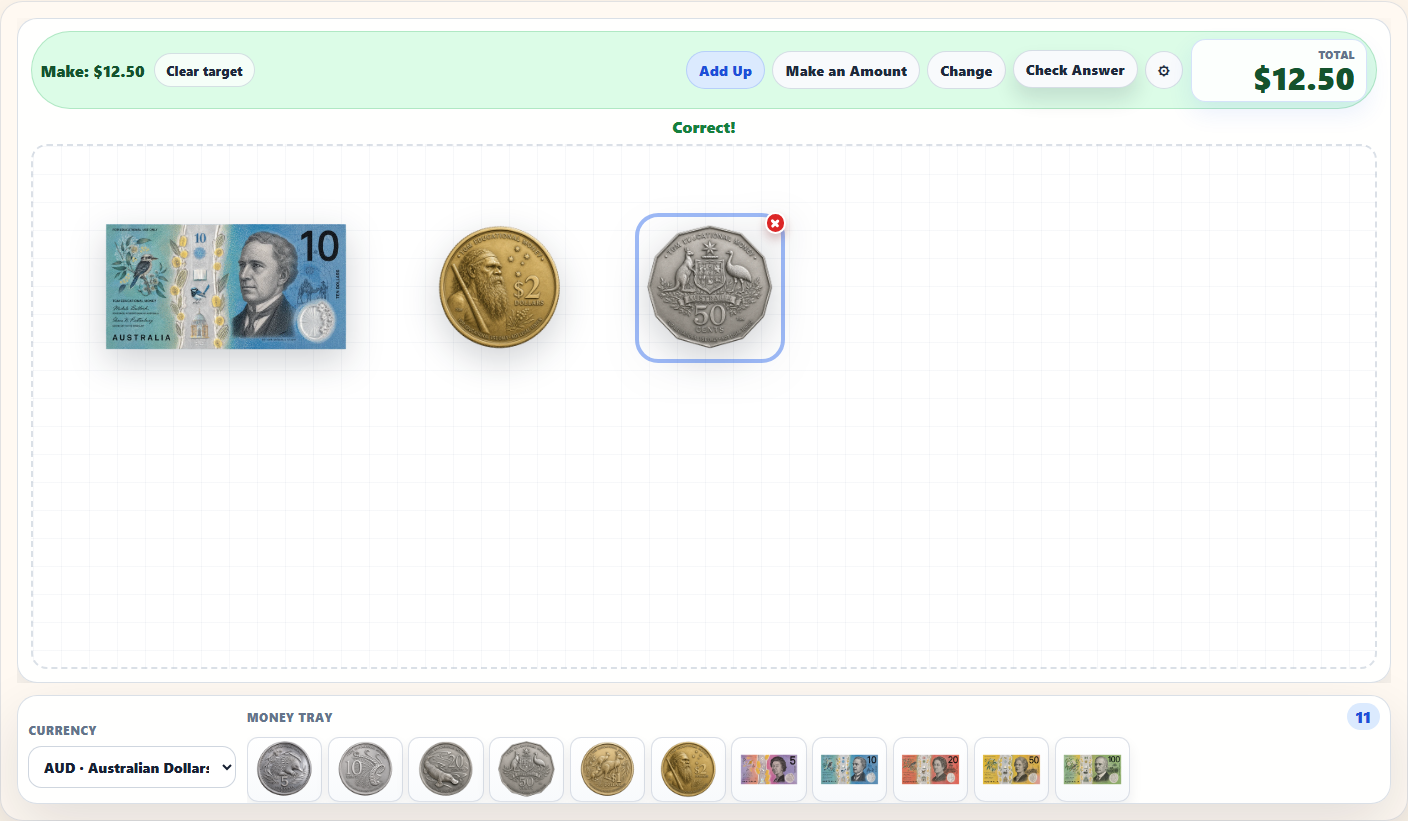
  • Make an Amount: set a target, build it using notes and coins, then check the answer. Included with subscription access or the purchased download.
  • Change: enter an item, cost and amount paid, then build and check the change. Show or hide the change answer during teaching.
  • Free online access includes money play and Add Up: AUD for guests, with all five currencies available after free sign-in.
  • The purchased download includes every currency and activity without internet, sign-in or a subscription. Subscriptions include full online access and Classroom Displays.

Money Widget โ€” full-feature preview

Money Widget enlarged full-feature preview