← Back

Measurement Lab

Read, explore and practise length, mass, capacity and temperature with numbered instruments, adjustable difficulty and step-by-step unit conversions.

Ways to use this widget

Buy once: Download and keep. Use offline without internet, TGM sign-in or a subscription.
Subscribe: Use online and in Classroom Displays while subscribed. Offline download sold separately.

What you can do

  • Choose Metric or US customary units, with country presets for Australia, the United States, Canada, the United Kingdom and Europe.
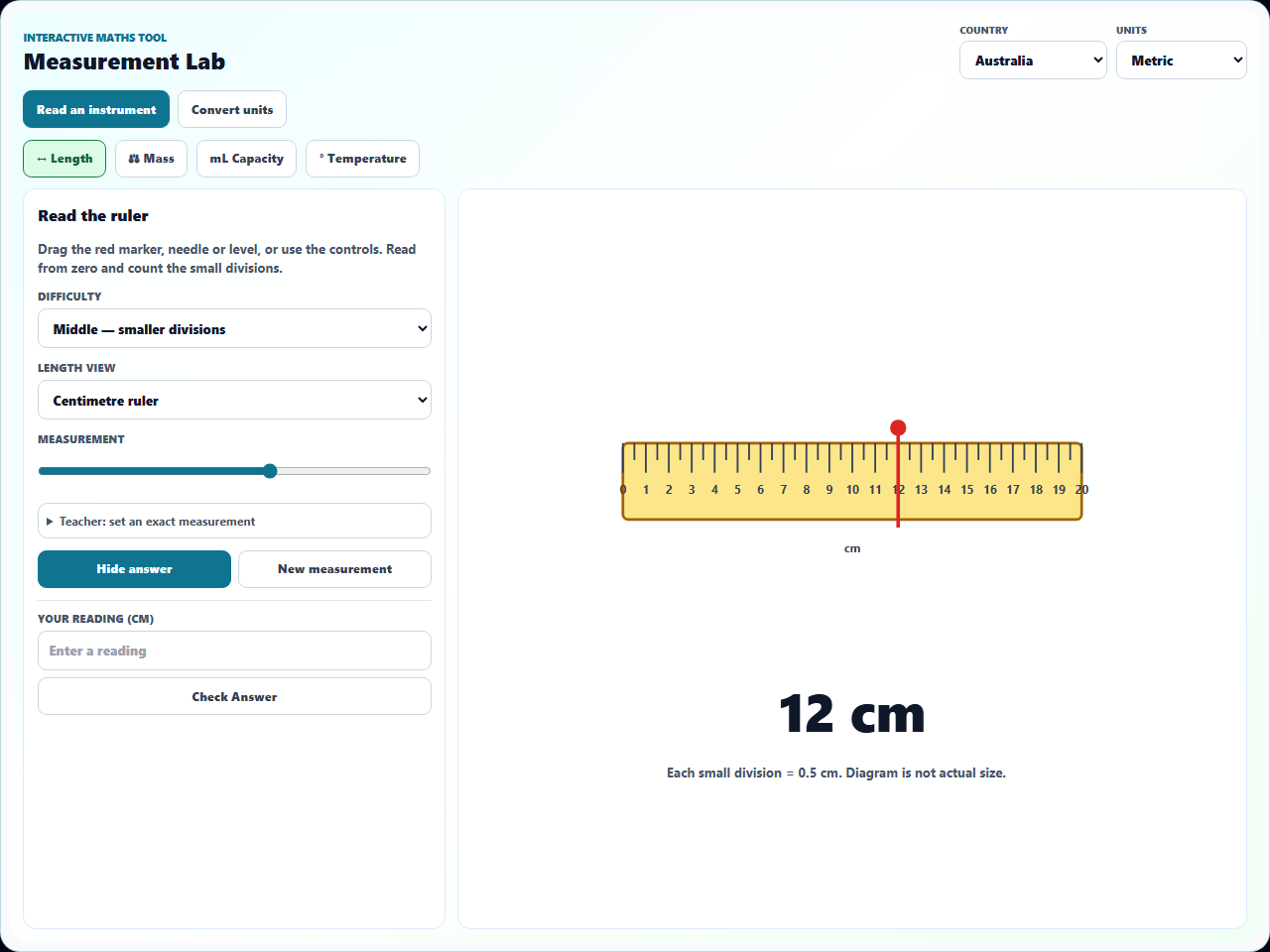
  • Explore millimetre and centimetre rulers, tape measures, wall heights and field distances, plus weighing scales, measuring jugs and thermometers.
  • Choose Early, Middle or Upper difficulty. Each instrument has labelled marks and small divisions matched to the measurements students can select.
  • Drag a marker, needle or liquid level using a mouse or touch, adjust the slider, or set an exact value in the teacher controls.
  • Hide and reveal readings, generate new measurements, and enter student answers for checking and helpful feedback. Decimal and fractional answers are supported.
  • Place example objects on the weighing scale. Illustrative masses use fine divisions when needed so students can read them accurately.
  • Convert units with an explanation of the multiplication, division or temperature formula. Small values retain their precision, and changing country preserves the entered conversion value.
  • Classroom Displays save the selected activity, instrument, difficulty, reading and conversion inputs.

Measurement Lab โ€” full-feature preview

Measurement Lab enlarged full-feature preview